A bedtime app blocker only has one real job: to still be doing its job at the exact moment you're most likely to cave. That's usually not before bed, when you're motivated and setting things up. It's later - when you surface at 3am, groggy and reaching for the phone out of pure habit. A blocker that's easy to talk yourself past at that moment is, in practice, no blocker at all.
So instead of ranking apps by feature count, this guide gives you a set of criteria you can use to judge any option, walks through the main choices honestly, and then explains where Malko fits. We build one of these apps, so treat this as our recommendation - but the criteria are the useful part, and we've tried to be fair about when the free built-in option is genuinely enough.
What actually matters in a bedtime app blocker
Before you compare any two apps, get clear on what you're actually buying. These six criteria separate a blocker that changes your nights from one you'll delete in a week:
- Automatic scheduling. Set your sleep window once and let it run every night, hands-free. If blocking depends on you remembering to switch it on, you'll forget on the nights you need it most.
- Genuinely hard to bypass. The block has to hold at your weakest moment. A limit you can wave away with one tap is a suggestion, not a boundary.
- Sleep-safe exceptions. All-or-nothing blocking fails because sometimes you legitimately want a calm app - a meditation, an audiobook. A short, time-boxed pass for those apps beats locking everything so hard you disable it entirely.
- Something to do instead of scrolling. Willpower fills a vacuum badly. A good blocker offers a wind-down - breathing, a short meditation, a calming read - so the reach for your phone lands on something that helps you sleep.
- Privacy and on-device processing. This runs on your phone all night. Prefer tools that keep your app usage on-device and don't ship your habits to a server.
- Doesn't nag you when you're legitimately awake. If you're genuinely up making coffee at 6am, the blocker should get out of the way. Constant fighting is how good intentions get uninstalled.
Hold every option up against these six. The winner for you is whichever one you'll still be using in a month.
Option 1: Apple Screen Time (built in, free)
The honest starting point is the one already on your phone. Apple's Screen Time is free, requires no download, and its Downtime feature can schedule a block across your sleep window. For a lot of people, that's a reasonable first attempt, and it costs nothing to try tonight.
Where it falls short is strictness and sleep-awareness. Downtime is a soft limit: when it kicks in, you get an "Ignore Limit" button, and if you know your own passcode - which, being your phone, you do - you're one tap from scrolling again. It also offers nothing to do instead of the feed, and it has no idea whether you're actually asleep or wide awake at 3am. For the full list of ways it quietly stops holding the line, see why Screen Time Downtime isn't working.
Bottom line: if you have real self-control and just want a gentle reminder, Screen Time may be all you need. If you already know you'll tap "Ignore," it's the wrong tool.
Option 2: Dedicated bedtime app blockers
The other category is dedicated third-party blockers built specifically for this problem. As a group, they tend to add stricter blocking, more flexible schedules, and sometimes wind-down content - the things Screen Time leaves out. That's the pitch, and for many people it's the right upgrade.
But "dedicated blocker" is a category, not a guarantee, and they vary a lot. Rather than trust marketing, run each one through the criteria above. In particular, ask: How hard is it actually to bypass at 3am, versus just before bed when you're motivated? Does it offer a wind-down, or only a locked screen? Is it aware of whether you're asleep, or does it treat every hour of the night identically? And does your usage stay on your device? Those questions will tell you far more than a feature list. If your specific goal is scheduled bedtime blocking on iPhone, our walkthrough on how to block apps at bedtime on iPhone covers the setup either way.
Where Malko fits
Malko is our answer to those criteria, built for one audience in particular: light sleepers and the people who wake at 3am and reach for the phone. It's less a pre-bed cutoff and more a guardian for the whole night. Here's how it maps to what matters:
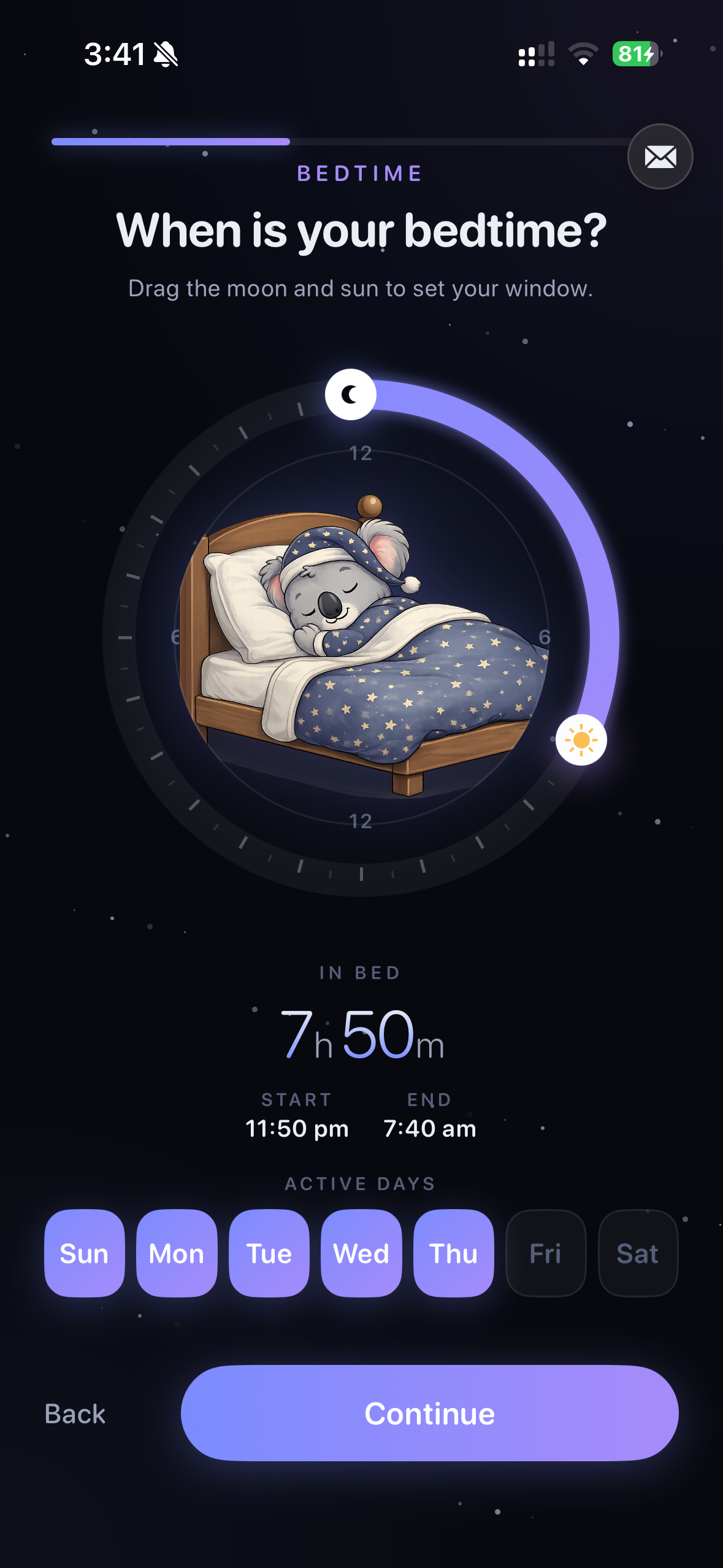
- Automatic sleep window. Set your bedtime once and Malko runs it every night, hands-free. No nightly switch to flip.
- Hard to bypass by design. Instead of a one-tap "Ignore," Malko uses a 3-strikes escalation - a gentle nudge on the first attempt, it asks again on the second, and it holds the line on the third. Warm first, firm when it counts.
- Sleep pass for calm apps. Your sleep-safe apps stay reachable, but only for a short, time-boxed pass, so a quick meditation doesn't turn back into an hour of scrolling.
- Timed wind-down activities. When you reach for the phone, Malko offers breathing, a short meditation, sleep reading, or journaling instead of the feed - something that actively lowers your alertness.
- Wake detection. Malko reads light, posture, and step signals to tell "up making coffee" apart from "horizontal scrolling," so it's effortless when you're genuinely awake and resistant when you're not.
- On-device and private. It all runs through Apple Screen Time on your device. Malko can't see which apps you use, and nothing about your night leaves your phone.
Malko is free to download with in-app purchases for Malko Pro. The design bet is specific: the hardest moment isn't going to bed, it's the middle-of-the-night wake-up, so that's what the whole app is built around. If lying awake at 3am is your pattern, our guide on how to fall back asleep pairs well with it.
Which should you choose?
Here's the honest call. If you have strong self-control and just want a nudge to remind you it's late, start with Apple Screen Time - it's free and already on your phone, and there's no reason to pay for a problem you can solve with a setting. Try it for a week.
But if you find yourself tapping "Ignore Limit" without a second thought, or if you wake in the night and can't keep your hands off the phone, a soft reminder was never going to hold. That's when a sleep-aware blocker earns its place - and that's the exact case Malko is built for, with escalation that doesn't fold on the first tap and a wind-down waiting when you reach for the feed.
Try Malko free
Malko is a bedtime app blocker built for the 3am wake-up, not just a pre-bed cutoff. Set your sleep window once and it runs every night, hands-free - locking the apps that keep you up, offering a timed wind-down when you reach for the phone, and using a 3-strikes escalation instead of a one-tap ignore, so the block still holds when you're half-asleep and least likely to resist.
And because it all runs on-device through Apple Screen Time, Malko can't see which apps you use - your app choices and your night never leave your phone. It's free to download, with optional Malko Pro if you want more.
Get Malko free on the App StoreFrequently asked questions
What is the best app to block apps at night on iPhone?
The best one is simply the one you won't bypass when you're half-asleep at 3am. Features matter less than whether the block actually holds at your weakest moment. If you have strong self-control, Apple's built-in Screen Time may be enough. If you keep talking yourself past it or you wake in the night, choose a sleep-aware blocker like Malko, which is built specifically for light sleepers and the 3am wake-up rather than a simple pre-bed cutoff.
Is Apple Screen Time enough to stop night scrolling?
For a gentle nudge, yes. Screen Time is free, already installed, and can schedule Downtime for your sleep window. But it's a soft limit: if you know your own passcode, you can tap Ignore Limit and keep scrolling in a second. It also has no wind-down to offer instead of the feed and isn't aware of whether you're actually asleep. If a nudge is all you need, it's fine. If you routinely bypass yourself, it usually isn't.
Learn more: Screen Time Downtime not workingWhat should a bedtime app blocker do?
Look for six things: automatic scheduling so it's set-and-forget, blocking that's genuinely hard to bypass at your weakest moment, sleep-safe exceptions like a short pass for calm apps instead of all-or-nothing, something to do instead of scrolling such as breathing or a calming read, privacy that keeps your data on-device, and enough awareness to stay out of your way when you're legitimately awake.
Learn more: how to block apps at bedtime on iPhoneIs Malko free?
Malko is free to download and use, with optional in-app purchases for Malko Pro. It runs entirely on-device through Apple Screen Time, so Malko can't see which apps you use and nothing about your night ever leaves your phone.

The blocker you won't bypass at 3am.
Malko locks the apps that keep you up and offers a calm wind-down instead - built for light sleepers, private by design, and free to start.
Download on the App Store