Almost nobody decides to scroll for an hour in bed. You mean to put the phone down. But by the time you're horizontal, the phone is already in your hand and the feed is already open. That's the tell that this isn't a willpower problem - it's a habit, and habits run on autopilot.
The good news is that habits are predictable. Once you can see the loop that drives the nighttime reach, you can dismantle it piece by piece. Here's how it works and what to do about it.
Why you keep reaching for it
Every habit runs on the same three-part loop: a cue, a routine, and a reward. In bed, the cue is usually a feeling - you're bored, understimulated, a little anxious, or just not sleepy yet. The routine is grabbing the phone. The reward is instant distraction: something to look at that pulls you out of the discomfort of lying there with your own thoughts.
Your brain has run this loop hundreds of times, so the cue now triggers the routine before you're even aware of it. That's why "just use more willpower" so rarely works - by the time willpower shows up, you're already three videos deep. The reliable move isn't to fight the routine in the moment. It's to attack the two things you can actually control: the cue and the friction. Make the phone harder to grab, and give the underlying feeling somewhere else to go.
Make the phone harder to reach than it's worth
The single most effective change is physical: put distance between you and the phone. When it's on the nightstand, reaching for it costs nothing, so you do it without thinking. When it's across the room - or better, charging in another room entirely - the reach suddenly requires getting out of a warm bed. That small cost is often enough to break the automatic loop.
A few ways to raise the friction:
- Charge it across the room or outside the bedroom. The distance turns a mindless reflex into a deliberate choice you're much less likely to make.
- Use a real alarm clock. The most common excuse for keeping the phone by the bed is "I need it as my alarm." A cheap standalone clock removes that reason entirely.
- Turn on grayscale. Draining the color out of your screen makes feeds and videos far less rewarding to look at, which quietly weakens the pull.
- Clear the worst apps off your home screen. If the app isn't one tap away, the loop has to work harder. Bury it in a folder, or delete it from the phone and use the browser version only.
- Log out of the worst offender. Having to type a password before you can scroll adds a pause - and a pause is often all it takes for the urge to pass.
Give the urge somewhere to go
Friction alone leaves a gap: you're still lying there with the same restless, understimulated feeling that triggered the reach in the first place. If you don't fill that gap, the urge just keeps knocking. This is why suppression is so hard and replacement works so much better - you're not white-knuckling an empty craving, you're redirecting it to something calmer.
Pick a replacement you actually find pleasant and keep it within arm's reach so it's the easy option:
- A physical book. It gives your restless mind something to do without a bright screen or an endless feed, and it naturally winds you down instead of ramping you up.
- A few lines of journaling. Getting tomorrow's worries out of your head and onto paper quiets the anxious loop that often drives the reach for the phone.
- A wind-down audio. A calm meditation or a sleep story occupies your attention while keeping your eyes closed and the room dark.
- Slow breathing. A long, extended exhale nudges your nervous system out of alert mode - a free, always-available replacement that also happens to help you fall asleep.
The point is to make the replacement the path of least resistance. If the book is on the nightstand and the phone is across the room, you've flipped the default.
Set a phone curfew you will actually keep
A curfew is just a time after which the phone is off-limits. The trap most people fall into is treating it as a nightly decision - and a tired brain at 11pm negotiates itself out of good decisions every time. The fix is to make the curfew automatic, so it happens on its own whether or not you feel like honoring it tonight.
Two things make a curfew stick. First, pick a realistic cutoff. If you usually scroll until midnight, don't set it to 9pm and fail on night one - start with something you can hit. Second, start small and expand. Try a 30 minute buffer before your target bedtime, keep it for a week until it feels normal, then push it earlier. A curfew you actually keep at 30 minutes beats an ambitious one you abandon by Wednesday.
Handle the middle-of-the-night wake-up
Even with a good curfew, you'll sometimes surface in the middle of the night - and that's a separate trap. The rules there are simple: stay dark, don't check the time, and don't open the feed. A quick glance to "see what time it is" turns on a bright screen and pulls you into the scroll, and a two-minute wake-up becomes a lost hour. If middle-of-the-night waking is your main struggle, we cover exactly what to do in how to fall back asleep after waking up at night.
How Malko makes it automatic
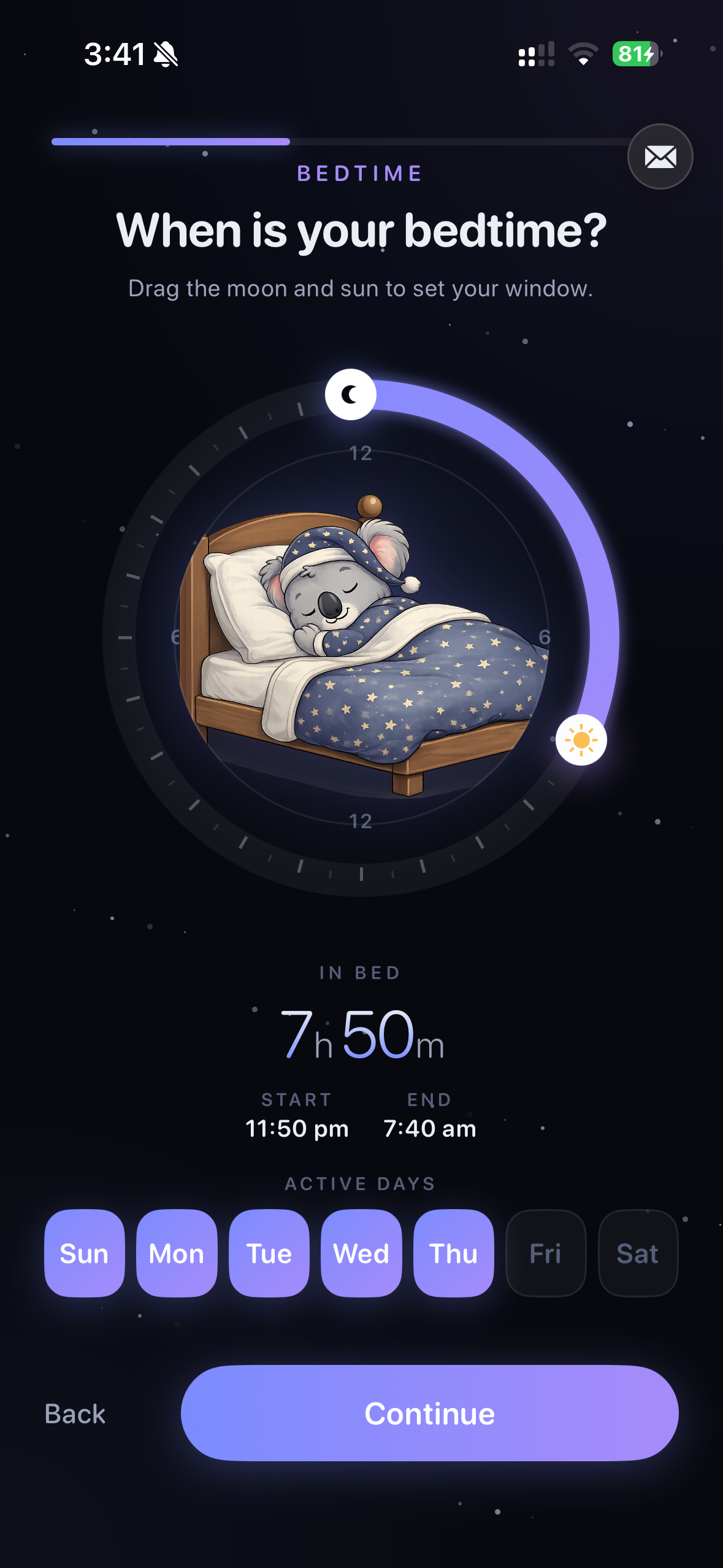
Malko exists to remove the nightly willpower battle entirely. You set your sleep window once, and every night Malko locks the apps that keep you up - social, video, news, games - so the phone curfew happens on its own. When you reach for your phone out of habit, the feed simply isn't there to grab. Instead of leaving you with an empty urge, Malko offers a timed wind-down: a few minutes of guided breathing, a short meditation, or a calming read, so the replacement behavior is right there waiting.
The clever part is that Malko doesn't just punish you for touching the phone. It uses signals like light, posture, and movement to tell whether you're genuinely up - making coffee, dealing with something - or just scrolling horizontally, so it stays out of your way when you actually need your phone. And when you do try to push past it, a 3-strikes escalation keeps it warm but firm: a gentle nudge on the first strike, a second ask on the next, and a held line on the third. It all runs on-device through Apple Screen Time, so nothing about your night ever leaves your phone. If you'd rather set the schedule up by hand first, here's how to block apps at bedtime on iPhone.
Get Malko free on the App StorePut the steps together
None of these steps is dramatic on its own. Stacked together, they change the default so the calm choice becomes the easy one:
- Charge the phone across the room and switch to a real alarm clock.
- Turn on grayscale and clear the worst apps off your home screen.
- Keep a book or journal on the nightstand as the easy replacement.
- Set a realistic curfew and make it automatic rather than a nightly decision.
- If you wake in the night, stay dark and leave the phone alone.
If mindless late-night scrolling is really your pattern, it's worth understanding the deeper pull behind it in how to stop doomscrolling at night. But you don't need to fix everything at once - change one thing tonight, keep it for a week, and let it become the new normal.
Frequently asked questions
How do I stop using my phone in bed?
Add friction and give the urge somewhere to go. Charge the phone across the room so reaching for it takes effort, keep a book or a wind-down audio within arm's reach as the easier option, and set a phone curfew that runs automatically so you are not deciding every single night.
Does charging my phone in another room actually help?
Yes. The habit is automatic because the phone is right there - you reach without thinking. Putting it across the room, or better yet outside the bedroom, adds a few seconds of friction and a moment to pause. That pause is usually enough for the urge to fade before you act on it.
What should I do instead of scrolling before bed?
Replace the scroll with something calming that occupies your hands and mind - a physical book, a few pages of journaling, a wind-down audio, or slow breathing. Habits break far more easily when you swap in a replacement than when you simply try to resist.
Learn more: how to stop doomscrolling at nightIs there an app that stops me from using my phone at night?
Malko is a bedtime app blocker that locks distracting apps during your sleep window and offers a timed wind-down instead of the feed. It runs on-device through Apple Screen Time, uses wake detection so it stays out of your way when you are genuinely up, and escalates gently over three strikes when you try to push past it.
Learn more: how to block apps at bedtime on iPhone
Put the phone down without the willpower fight.
Malko locks the apps that keep you scrolling and hands you a calmer wind-down instead - automatically, every night.
Download on the App Store